Your Viewers Are Leaving Because of Your Lighting (And You Don't Even Know It)
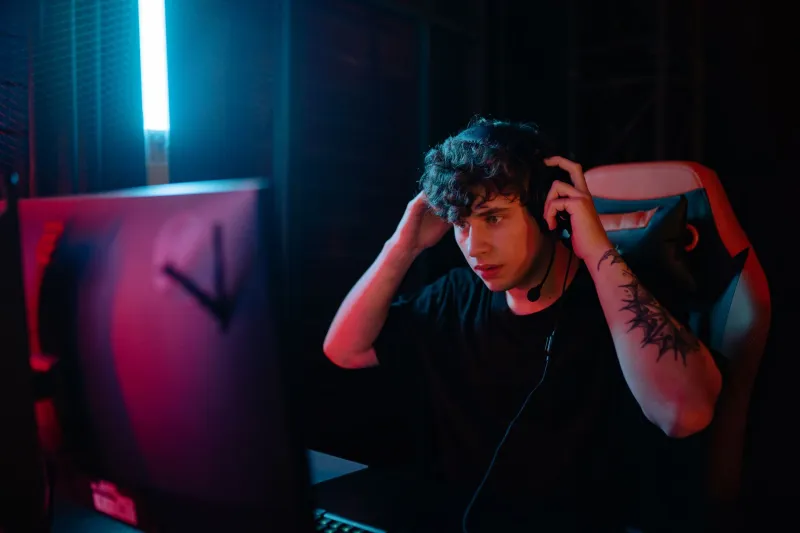
You upgraded your webcam. You bought a decent mic. You've dialed in your stream layout. And yet, something still feels... off. Viewers drift in, hang around for a few minutes, and bounce. Your chat stays quiet. Your follow rate is underwhelming. You've blamed the algorithm, your schedule, even your content — but here's the uncomfortable truth nobody in your Discord is going to tell you: it might be your lighting.
Lighting is the most overlooked variable in streaming. Not because it's complicated, but because most creators never think to question it. You can see yourself just fine on your monitor preview, so what's the problem? The problem is that your brain is compensating for a lot of visual garbage that your viewers' brains won't bother to process. They'll just click away.
Why Viewers React to Lighting Before They React to Anything Else
Here's something most streaming guides skip entirely: human perception is wired to read faces. Before a viewer decides whether they like your content, their brain is already making snap judgments about your face — your energy, your credibility, even your competence — based almost entirely on how you're lit.
This isn't pseudoscience. Lighting has been used deliberately in film, television, and photography for over a century to shape how audiences feel about what they're seeing. Harsh shadows under the eyes read as tired or untrustworthy. Flat, overexposed light makes you look washed out and amateurish. Inconsistent color temperature — say, a warm lamp on one side and a cool window on the other — creates an unsettling visual dissonance that viewers can't always name but absolutely feel.
When your lighting is bad, viewers don't think "this creator has bad lighting." They think "something about this stream feels low-effort" and they leave. That's the silent kill. You never get the feedback. You just lose the audience.
The Three Setups Worth Knowing
You don't need a professional studio to light yourself well. You need the right approach for your specific situation. Here are the three setups that cover most streaming scenarios:
1. The Single Key Light Setup (Best for Beginners and Small Spaces)
This is your starting point. One solid light source — a softbox, an LED panel, or even a well-placed desk lamp with a daylight bulb — positioned about 45 degrees to the side of your face and slightly above eye level. This creates dimension without harsh shadows. It's the foundation of almost every broadcast look you've ever admired on TV or YouTube. Simple, cheap, effective.
2. The Key + Fill Setup (For Creators Who Want a Polished Look)
Add a second, dimmer light on the opposite side of your face from your key light. This "fill" light reduces the shadow intensity without eliminating it entirely, giving you that clean, professional look without the flat washed-out effect. The fill should be noticeably softer than the key — think 50% intensity or lower. This setup works great for talk-format streams, podcasting video setups, and anyone doing face-cam gameplay.
3. The Three-Point Setup (For Creators Ready to Go Pro)
Key light, fill light, and a backlight (sometimes called a rim or hair light) positioned behind you to separate your silhouette from the background. This is the setup that makes streamers look like they belong on a network broadcast. It adds depth to the image and eliminates that flat, "floating head against a wall" look that plagues so many streams. If you're serious about growing your audience, this is worth the investment.
Why Ring Lights Are Overrated (And When They Actually Work)
Ring lights became the go-to recommendation because they're cheap, easy to find on Amazon, and they do one thing well: they eliminate almost all facial shadows. The problem is that "eliminating shadows" isn't the same as "looking good on camera."
Flat, shadowless light reads as lifeless on screen. It flattens facial features and creates that overexposed, blown-out look that screams "I bought this ring light last week and just plugged it in." The circular catchlight it creates in your eyes — that little ring-shaped reflection — is also a dead giveaway that's become visually associated with beginner setups.
Ring lights work well in specific situations: beauty content, close-up product reviews, or any context where soft, even light is genuinely what you're going for. For most streamers, though, a quality LED panel or a softbox at a 45-degree angle will do more for your on-screen presence than a ring light ever will.
The Budget Solutions That Actually Deliver
You don't need to spend hundreds of dollars to fix your lighting. Here's what actually works on a tight budget:
-
Daylight LED bulbs in a cheap clamp light: A $12 clamp light from Home Depot with a 5000K daylight LED bulb positioned correctly will outperform a $40 ring light placed badly. Placement is everything.
-
A window and some timing: Natural light from a window directly in front of you (not behind you) is genuinely beautiful on camera. The catch: it changes throughout the day and disappears at night. If you stream in the afternoon and your setup faces north or east, you might already have great light for free.
-
A cheap photography softbox kit: You can find two-softbox kits on Amazon for under $60. They're not built to last forever, but they'll transform your stream immediately and teach you how to position lights properly before you invest in anything more serious.
-
Foam board as a reflector: A white foam board from a dollar store, positioned opposite your key light, acts as a free fill light by bouncing light back onto the shadowed side of your face. Ridiculous that it works this well. It does.
The Mistakes That Make You Look Terrible On Camera
Let's run through the most common lighting errors streamers make, because knowing what not to do is half the battle:
Backlighting from a window: If a window is behind you, your camera exposes for the bright background and turns you into a silhouette. Always face the light source, never sit in front of it.
Mixing color temperatures: That warm yellow lamp and your cool-white LED monitor are fighting each other and making your skin look strange. Pick one color temperature — ideally around 5000-5600K for a clean, natural look — and stick with it across all your light sources.
Lights that are too high: A light source directly above you casts deep shadows under your eyes and nose, making you look exhausted or sinister. Bring it down to roughly eye level or just slightly above.
No consideration for background: Your face can be perfectly lit while your background is a dark, underexposed mess. Viewers are looking at your whole frame. A simple LED strip behind your desk or a lamp in the background adds depth and makes your entire setup look intentional.
The Bottom Line
Streaming is a visual medium. Your viewers are making decisions about whether to stick around based on what they see in the first few seconds — and lighting shapes that impression more than almost anything else. A $3,000 camera in bad lighting looks worse than a $100 webcam in good lighting. That's not an exaggeration; it's just physics and perception.
The good news is that lighting is one of the most fixable problems in streaming, and it doesn't require a major investment. It requires understanding a few basic principles, experimenting with placement, and being willing to look critically at your stream preview the way a new viewer would.
Fix your lighting. Keep your audience.