Your Camera Is Fine. Your Audio Is Killing Your Stream.
The Gear Obsession Nobody Talks About
Scroll through any streaming forum or creator subreddit and you'll find the same thread, posted a hundred different ways: What camera should I upgrade to? Mirrorless vs. DSLR. Webcam vs. capture card. 1080p vs. 4K. The debate is endless, and honestly, it's a little exhausting.
Meanwhile, the same creators asking those questions are broadcasting with a built-in laptop microphone, sitting in a room that sounds like a gymnasium, and wondering why their viewer count stalls out after the first few minutes.
Here's the uncomfortable reality: audio quality is the single most decisive factor in whether someone sticks around for your stream — and it's the one thing most creators chronically underinvest in.
Why Ears Beat Eyes Every Time
Human beings are remarkably forgiving when it comes to visual imperfection. Slightly soft focus? Fine. A little motion blur? Whatever. But put low-quality audio in front of someone and their brain almost immediately flags it as wrong. Studies on media consumption consistently show that viewers abandon content with poor audio far faster than content with poor video — often within the first 10 to 15 seconds.
Think about it from your own experience. You've probably watched a YouTube video that looked like it was filmed on a potato, but the person speaking clearly and confidently kept you engaged. Now think about the last time you clicked away from something because the audio was tinny, echoey, or full of background hiss. Odds are you didn't even consciously decide to leave — you just did.
For live streamers, that snap judgment is even more punishing. On a recorded video, editors can clean up audio in post. On a live stream, what goes out is what people hear, right now, with zero safety net.
The Most Common Audio Mistakes Streamers Make
Before we talk gear, let's talk habits — because even a great microphone can sound terrible in the wrong environment.
Room acoustics are wrecking you. Hard floors, bare walls, and open ceilings create echo and reverb that no microphone can compensate for. If your stream sounds like you're broadcasting from an empty parking garage, your room is the problem, not your equipment.
Too much distance from the mic. USB microphones and condenser mics are sensitive, but they're not magic. Sitting three feet back from a microphone to look casual on camera is a fast track to thin, distant-sounding audio.
Background noise you've gone nose-blind to. HVAC systems, ceiling fans, street traffic, refrigerator hum — these sounds become invisible to you when you live with them daily. To your audience, they're front and center.
Gain set too hot or too cold. Cranking input gain to compensate for a quiet mic introduces noise. Setting it too low means your voice barely registers. Neither is acceptable for a professional-feeling broadcast.
Affordable Gear That Actually Makes a Difference
You do not need to spend a fortune to sound good. You need to spend strategically.
For under $100: The Audio-Technica ATR2100x-USB is a dynamic microphone that rejects background noise better than most condenser mics in the same price range. It's a workhorse for streamers in untreated rooms. The Samson Q2U is another solid option in this bracket, with both USB and XLR outputs so you can grow into a proper audio interface later.
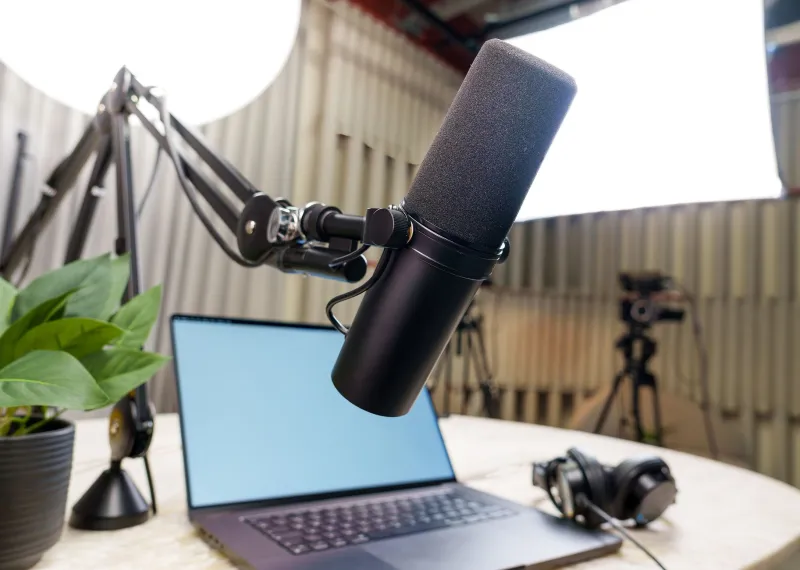
For $100–$200: The Shure MV7 has become something of a standard-bearer for podcasters and streamers who want broadcast-quality sound without an engineering degree. It's forgiving, it sounds full and warm, and it looks great on camera — which, yes, still matters.
Acoustic treatment under $50: A pack of acoustic foam panels from Amazon, strategically placed behind and beside your recording position, can dramatically reduce room echo. Not glamorous. Genuinely effective.
A boom arm: Whatever microphone you use, get it off your desk and position it a few inches below or to the side of your mouth. This eliminates desk vibration pickup and keyboard noise. Rode and Elgato both make solid options in the $30–$80 range.
Real Creators, Real Turnarounds
The proof is in the streams. Take Marcus, a variety streamer based in Austin who spent 18 months grinding on Twitch with a solid camera setup but a built-in headset mic. His average concurrent viewership hovered around 8–12 viewers. After swapping to a Shure MV7 and hanging some moving blankets in his streaming corner, his viewer retention in the first five minutes jumped noticeably — and regulars in his chat started commenting on how much more "professional" the stream felt. Within two months, his average CCV had climbed into the 30s.
Or consider Dana, a cooking and lifestyle streamer from Chicago who was getting solid traffic from TikTok clips but losing viewers almost immediately on her live streams. The issue? Her kitchen acoustics were brutal — tile floors, stainless appliances, and a range hood that ran constantly. She repositioned her streaming setup to a carpeted corner of her living room, added a boom-mounted dynamic mic, and cut the range hood during filming. Her session duration per viewer nearly doubled.
Neither of these fixes required a major financial overhaul. They required paying attention to the right problem.
Doing a Real Audio Audit
If you're not sure where you stand, here's a quick self-assessment:
- Record 60 seconds of yourself talking at your normal streaming position. Listen back on headphones — not your monitors or speakers. Headphones reveal everything.
- Clap once and listen for how long the echo rings. If it takes more than half a second to decay, your room is working against you.
- Check your waveform in OBS or your streaming software. Your voice should peak somewhere between -12dB and -6dB. If it's barely moving or constantly clipping into the red, your gain settings need work.
- Ask a trusted viewer. Seriously. Most of your audience won't volunteer this feedback, but if you ask directly in a community post or Discord, you'll get honest answers fast.
The Bottom Line
Chasing video quality is fine. A sharp, well-lit stream absolutely signals professionalism and effort. But if your audio is the weak link — and for most creators, it is — no camera upgrade in the world is going to fix your retention problem.
Sound is the invisible foundation of every great live broadcast. Get that right first, and everything else becomes a bonus. Your audience's ears will thank you before their eyes even notice the difference.

