Why New Viewers Bounce in 10 Seconds Flat (And Your Setup Is to Blame)
Here's a scenario that plays out thousands of times a day across Twitch, YouTube Live, and every other streaming platform out there: someone stumbles onto your stream through a recommendation, a shared clip, or a search result. They click in curious, maybe even excited. Then the video stutters. The resolution tanks. A little buffering wheel spins. They're gone before you've finished your sentence.
You didn't lose them because your content was bad. You lost them because your setup failed the audition.
The brutal truth is that most creators spend the bulk of their energy optimizing for the people who already show up — regulars who've learned to tolerate the occasional hiccup, who stick around through a rough patch because they're invested. New viewers have zero loyalty buffer. They have no reason to wait. And the technical friction your stream produces in those first ten seconds is doing far more damage than you probably realize.
The First-Impression Problem Nobody Measures
Platforms don't hand you a report that says "37 people left because your stream buffered on their connection." That data gets buried in vague retention metrics or just disappears entirely. So creators never connect the dots between their technical setup and their audience ceiling.
What research and platform behavior patterns do tell us is that video quality inconsistency is one of the top reasons casual viewers bounce from live content. Not low quality — inconsistent quality. A stream that holds steady at 720p feels more watchable than one that swings between 1080p and 360p every thirty seconds. Viewers can tolerate limitations. They can't tolerate unpredictability.
And that swing? It's almost always caused by bitrate fluctuation.
Bitrate: The Setting You Set Once and Forgot About
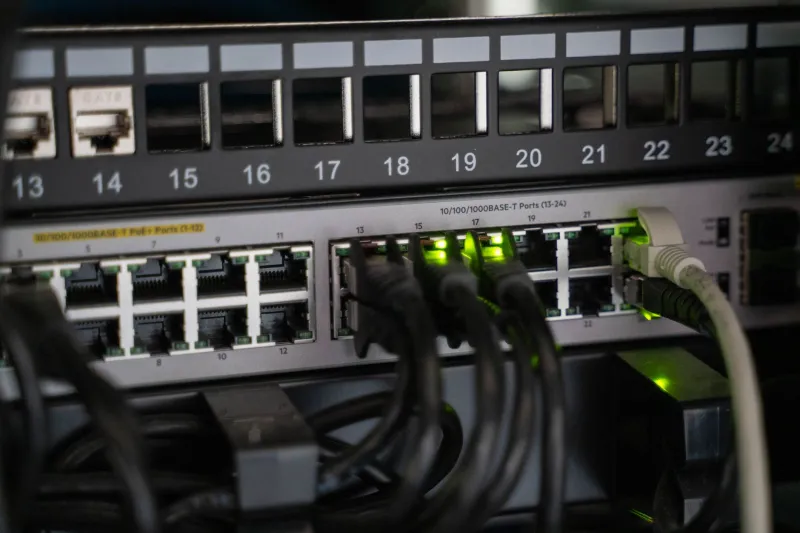
Your bitrate is essentially the volume of data your stream pushes out per second. Set it too high for your internet connection, and the stream chokes when your upload speed dips — which it does, constantly, because home internet is shared, variable, and never as stable as your speed test makes it look.
Most streamers set their bitrate during initial setup and never revisit it. They pick a number that works on a good day, and then their stream quietly degrades every time someone else in the house starts a video call, or the neighbor's network activity spikes, or their ISP just has a rough afternoon.
The fix here isn't necessarily buying faster internet. It's right-sizing your bitrate to what your connection can reliably sustain — not what it can sustain at peak. A good starting point: run a speed test at least five times across different hours of the day, including evenings when your neighborhood network is congested. Take the lowest upload result, not the average. Set your bitrate to about 70-75% of that number. That buffer is what keeps your stream stable when conditions dip.
For most home connections in the US, that lands somewhere between 3,500 and 6,000 kbps for a solid 720p or 1080p stream — not the 8,000+ kbps some guides recommend for hardware that assumes a fiber connection with zero contention.
Buffering Zones: Where New Viewers Actually Live
Here's something counterintuitive: your loyal viewers probably aren't experiencing your stream the same way a new viewer is. Regulars tend to watch on devices and connections that have already buffered your stream content, and platforms often optimize delivery for returning viewers. New viewers are hitting your stream cold, often from a mobile device, often on a network that's doing a dozen other things.
That means the buffering "zones" — the moments where your stream's demands outpace a viewer's ability to receive it — hit new arrivals harder and more often. You might stream for months without a single regular complaining about buffering. Meanwhile, a steady stream of potential new fans is quietly bouncing every single day.
One practical diagnostic: use a secondary device on a mobile hotspot to watch your own stream as a new viewer would. Don't use your home Wi-Fi for this test. You want to simulate the variable, real-world conditions that a random viewer in Chicago or Austin or rural Georgia might be dealing with. Watch the first sixty seconds and pay attention to how many times the quality badge shifts or the stream stutters.
What you see is what they see.
Auto-Quality Degradation: The Platform's Bandage That Becomes Your Problem
Platforms like YouTube and Twitch have adaptive bitrate systems that automatically downgrade stream quality when a viewer's connection struggles. In theory, this is a good thing — better a lower-quality stream than a broken one. In practice, it creates a specific problem for new viewers that most creators never think about.
When someone clicks into your stream and the platform immediately drops them to 160p or 240p because of a brief network spike, they're forming their first impression of your content in potato-vision. The colors are muddy. Text on screen is unreadable. Your face — if you're on camera — looks like a blurry approximation of a person. They're not going to stick around to see if it gets better.
The way to fight this isn't to disable adaptive quality (you can't) — it's to make your stream more resilient to the conditions that trigger it. Lowering your peak bitrate, as mentioned above, reduces the gap between your target quality and what the platform needs to fall back to. It also helps to avoid rapid scene changes, flashing graphics, or high-motion overlays in the first thirty seconds of your stream. Those elements spike your encoder's workload and your effective bitrate simultaneously, right at the moment when a new viewer is making their call.
Quick Diagnostics That Don't Cost Anything
Before you spend money on a new router or a capture card upgrade, run through this checklist:
- Check your encoder settings. If you're on OBS, make sure you're using a software encoder (x264) at a medium or slower preset rather than maxing out quality. Hardware encoders like NVENC are faster but can introduce artifacts that look worse on degraded connections.
- Hardwire your connection. Wi-Fi streaming is almost always the single biggest source of bitrate instability. An ethernet cable costs less than $15 and eliminates an entire category of problems.
- Close background apps. Anything using your upload bandwidth — cloud backups, automatic updates, other streaming services — competes directly with your stream's data output.
- Test your stream health dashboard. Twitch and YouTube both offer live stream health monitoring in their dashboards. If you're seeing dropped frames above 1-2%, your bitrate is too high for your connection.
- Lower your keyframe interval. Setting it to 2 seconds instead of the default auto setting helps platforms deliver your stream more smoothly to viewers who join mid-stream.
The Audience You're Not Counting
Every creator talks about growth like it's purely a content or algorithm problem. Post better stuff. Go live more often. Engage harder. And yeah, all of that matters. But none of it moves the needle if the technical front door to your stream is broken.
The viewers you're losing in those first ten seconds aren't in your analytics. They never registered as a view. They just disappeared. And they're not coming back, not because they didn't like you, but because they never got the chance to.
Fixing this stuff isn't glamorous. It's not a highlight reel moment. But it's the kind of unsexy work that quietly removes the ceiling on what your stream can become. Own the airwaves — but first, make sure the signal actually gets through.