When Everything Breaks On Air: Your Survival Guide for Live Stream Disasters
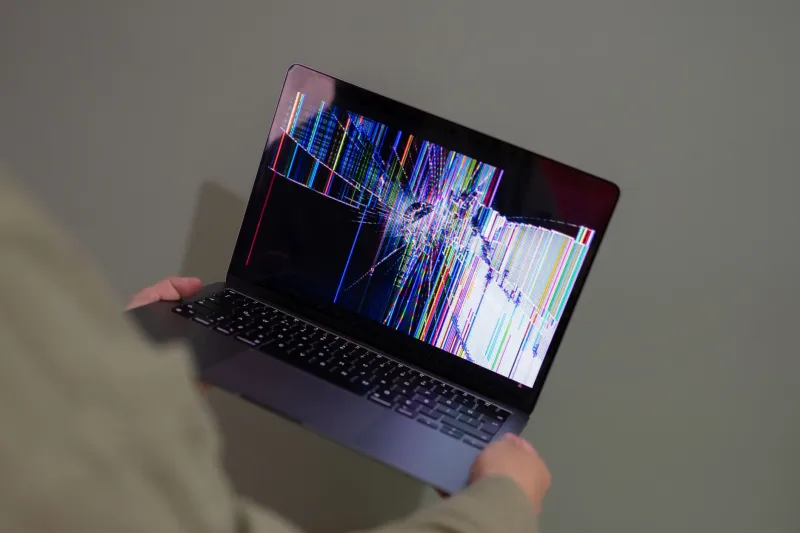
It happens to everyone. You're mid-sentence, the energy is great, chat is popping — and then something goes sideways. Maybe your stream drops. Maybe your mic cuts out and you've been talking to nobody for the last four minutes. Maybe a family member walks in at exactly the wrong moment. Whatever the disaster, the clock starts ticking the second it happens, and what you do next matters more than you probably realize.
Here's the thing most new streamers get wrong: they treat technical failures like personal failures. They panic. They over-apologize. They disappear offline without explanation and leave their audience wondering what just happened. That's the worst possible response — not because it's embarrassing, but because it actively erodes the trust you've spent weeks or months building.
Let's fix that.
The First 60 Seconds Are Everything
When something breaks during a live broadcast, your audience is watching how you react just as much as they're watching your content. The first minute after a failure sets the emotional tone for everything that follows.
If your stream drops entirely and you're able to get back online, don't just silently reappear and pick up where you left off. Acknowledge it immediately. Something as simple as "Okay, we had a technical meltdown — I'm back, and I appreciate everyone who stuck around" does two things at once. It respects your audience's intelligence by not pretending nothing happened, and it signals that you're composed enough to keep going.
If you're still live but something's broken — say, your game audio disappeared or your camera is frozen — pause what you're doing and address it directly. Dead air is the real killer here. Silence feels like abandonment to a live audience. Even narrating what you're troubleshooting out loud ("Okay, I'm jumping into my audio settings right now, bear with me") keeps viewers engaged because it turns a frustrating moment into something weirdly relatable.
Build a "Break Glass" Script Before You Ever Need It
The best streamers don't improvise their crisis response — they prepare it in advance. Think of it like an emergency broadcast script, but for your channel.
Before your next stream, spend five minutes writing out a few go-to phrases for different failure scenarios. These don't need to be fancy. They just need to exist so you're not drawing a blank when your brain is already in panic mode.
For audio failures: "Heads up — I think my audio is having a moment. I'm troubleshooting right now. If you can hear me fine, drop a 'yes' in chat so I know what I'm working with."
For stream drops: "We had a technical interruption — welcome back to anyone rejoining. Quick recap before we dive back in..."
For unexpected interruptions (the dog, the delivery guy, the smoke alarm): "Give me just a second — real life is happening — I'll be right back."
These phrases do something powerful: they make you sound calm even when you're not. And calm is contagious. Chat will follow your lead.
Transparency Is a Competitive Advantage
This might sound counterintuitive, but being openly honest about technical failures actually builds stronger audience loyalty than a polished, problem-free stream. Here's why.
Viewers who watch live content aren't tuning in for perfection — they're tuning in for connection. When something breaks and you handle it with humor and honesty, you're showing your audience a version of yourself that's real. That's more valuable than any production upgrade you could buy.
Some of the most-clipped moments in streaming history are creators navigating genuine chaos with grace. It's relatable. It's human. And in a media landscape full of over-produced content, "human" is actually a differentiator.
Compare that to the creator who cuts the stream without explanation, or who gets visibly flustered and defensive when something goes wrong. That reaction signals fragility, and fragility doesn't inspire repeat viewership.
Quick Technical Fixes Worth Knowing Cold
While mindset matters, you also need actual troubleshooting skills in your back pocket. Here are the most common live stream failures and the fastest ways to address them:
Stream drops or buffering: Check your bitrate first. Most platforms recommend 6,000 kbps for 1080p, but if your connection is unstable, dropping to 4,500 or even 3,000 kbps will keep you live more reliably than chasing quality. A stable, lower-quality stream beats a beautiful, choppy one every single time.
Audio cutting out: Before you dive deep into settings, check the obvious stuff — cables, USB connections, whether your DAW or audio interface lost connection. Nine times out of ten, it's a physical connection issue, not a software one.
Camera freezing: If you're using a capture card, unplug and replug the HDMI. If you're on a webcam, try closing and reopening your streaming software. Sometimes the simplest fix is the right one.
OBS crashing mid-stream: This is why you should have a backup scene ready with just a screen capture or a simple "BRB" graphic. Set it up before your stream, not during a crisis.
After the Stream: The Recovery That Happens Off-Air
Once you're offline, the work isn't done. If you had a significant technical failure, a quick post on your community Discord, Twitter/X, or wherever your audience lives goes a long way. It doesn't need to be a lengthy explanation — just a brief acknowledgment that you know things went sideways, and that you're working on it.
This kind of follow-through is rare. Most creators just move on and hope everyone forgets. The ones who check in afterward build something more durable: an audience that feels like they're actually part of what you're building, not just passive viewers watching from a distance.
That's the real secret to surviving live stream disasters. It was never about having perfect tech. It was always about making your audience feel like they matter — even when, especially when, everything is falling apart.


